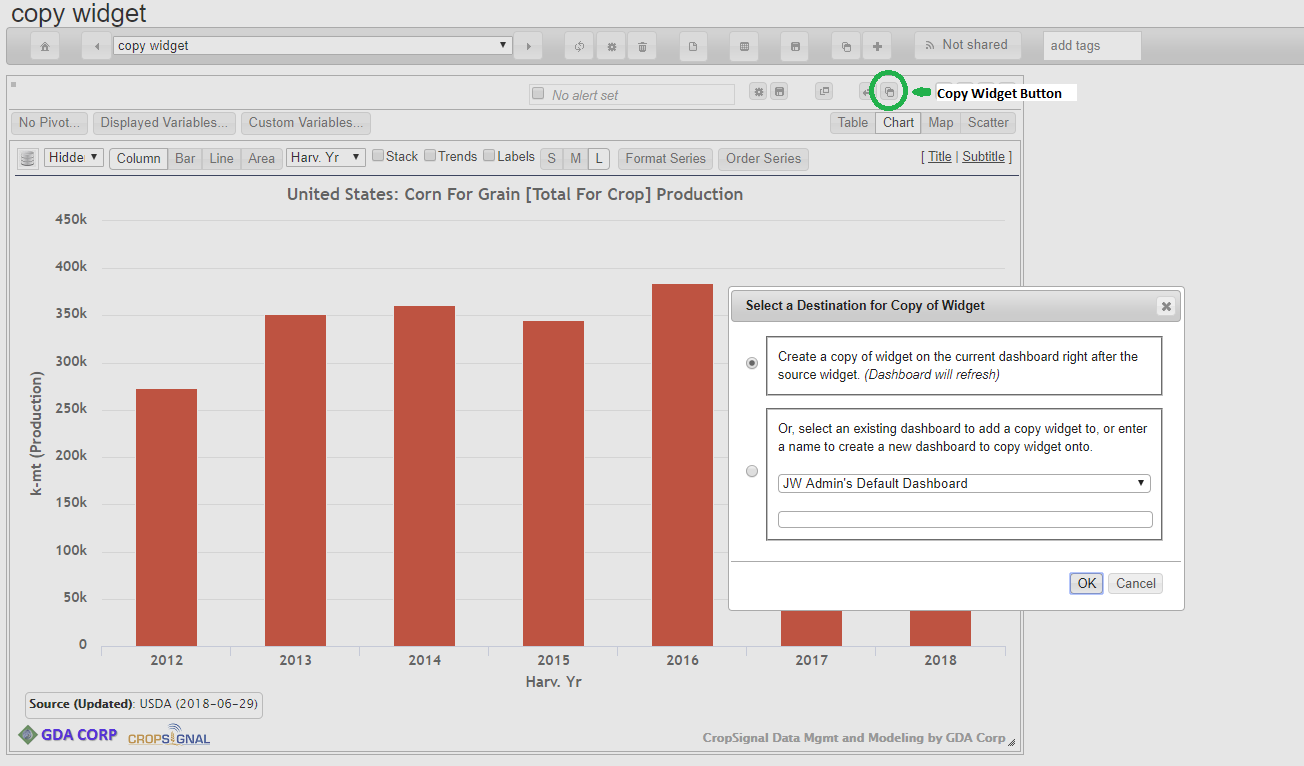
The copy widget function on the dashboard view page has been expanded to allow widgets to be duplicated on the current dashboard (in addition to copying onto another dashboard that already existed).
To duplicate a widget, click the “Copy widget” button on the widget toolbar (see green circle in screenshot). The dialog box now has a an option to duplicate it on the current dashboard, or to select another dashboard (or create new dashboard) to copy onto.
If you select to copy on the existing dashboard, the copy will appear right after the source widget. The dashboard will reload.